I was attempting to update my screencasting software to make a new tutorial for you and I download a virus on my good computer. Seriously! Didn't I have issues last time I attempted to make a video? At least I was able to get MalwareBytes running on my computer.
So in honor of my dumb downloading mistake, here is the best advice you will get this week: download MalwareBytes, at least the free version, NOW. Did you know some viruses are programmed not to let you download anti-virus software. I am quite confident that if I did not already have MalwareBytes installed, I would not have been able to use my Internet browser to download anti-malware software. Download some anti-malware software today, so you can be proactive about your future computer issues.
The second part of the advice. Before you start downloading from unknown sources BACKUP YOUR FILES. By pure coincidence, I actually backed up my entire computer the night before I accidentally downloaded this virus. I guess I had good timing on my back up.
Please learn from my mistake. As always thanks for joining me today and remember that tomorrow today will be the past, so start saving your story today.

Wednesday, September 12, 2012

Wednesday, September 5, 2012
Rule of Thirds
Last night I had the opportunity to teach my Husband's scout troop for their photography merit badge. It made me feel really old. The merit badge book needs some serious updating. Under of the film vs. digital pros and cons it had "familiarity of use" under the film side. We asked the boys if we handed them a film camera and a roll of film if they would know how to load it. They all just stared at us. It was like we were talking a different language. My Husband, his Assistant Scoutmaster, and I all agreed that we felt old. It was then that I realized that the technology may change, but the things that make a good photo haven't. I thought I would share a basic composition technique this week that the scouts found rather interesting: the rule of thirds.

It is simple really. Imagine a tic-tac-toe grid on your photo. The focus of your photo should land on one the crosses. Or at least close to it.

Try not to lead the viewers eye out of the frame with the rule of thirds,

But lead the eye into the frame instead.

If your subject is too big to sit on one of the crosses, try putting a prominent line on one of the "thirds" lines instead.

I hope you found this bit of information helpful and interesting today. Please post links to your "Rule of Thirds" photos in the comments. I would love to see them. And as always feel free to ask any questions you would like.
Thanks for joining me today.
Tomorrow today will be the past, so start saving your story today.
Wednesday, August 29, 2012
Tutorial: Photoshop Photo Collage
This post has been a long time coming. Over a month actually. I am really sorry it has been so long. I got frustrated with some audio/visual sync issues. I finally worked through it and finished the video.
My Aunt Rebecca asked me to do this tutorial. She really likes scrapbook pages that use photo collages, but had no idea how to create them. So I made her a collage for use in her latest scrapbook page. You can see how she used my finished product on her blog My Kitchen Table Studio. You could make these photo collages to use on a scrapbook page, for a half page insert, or even a whole page addition to you album
You can also view the tutorial here.
As promised here are all the dimensions I used for the collage I created in the video.
Thanks for joining me today. Tomorrow today will be the past, so start saving your story today.
My Aunt Rebecca asked me to do this tutorial. She really likes scrapbook pages that use photo collages, but had no idea how to create them. So I made her a collage for use in her latest scrapbook page. You can see how she used my finished product on her blog My Kitchen Table Studio. You could make these photo collages to use on a scrapbook page, for a half page insert, or even a whole page addition to you album
You can also view the tutorial here.
As promised here are all the dimensions I used for the collage I created in the video.
Left Side: 3 1/4 x 4 3/4
Middle Top: 4 x 3
Middle Bottom: 1 1/4 x 1 5/8
Right Top: 1 9/16 x 1 5/8
Right Bottom: 3 1/4 x 3
I would love to see the collages that you create. You are free to link up or ask questions in the comments.
Thanks for joining me today. Tomorrow today will be the past, so start saving your story today.
Tuesday, July 17, 2012
Sneek Peek!
So I was having some audio issues, and I didn't get my video tutorial posted to YouTube. Hopefully I can get my audio synced up on my video and get it posted soon. For now enjoy this sneek peek of what I am teaching in the video. Hopefully it is intriguing enough to get you to come back sometime in the next few days. Thanks for joining me today. Tomorrow today will be the past, so start saving your story today.

Wednesday, July 11, 2012
Everyday Photography
So I admit, I fell off the Project 365 band wagon. I have missed quite a few days. I can always start again at the beginning of the month, or now for that matter. In the months that I was actively participating I found the value of having a camera with me at all times and being willing to use. I have photos that I wouldn't have had otherwise. I love admiring the beauty of the world and taking the opportunity to capture it. So with that in mind I encourage all of you to seize the day! Photograph something today that you find amazing. Or photograph something, or someone you love. Watch the world with your eyes open 100% of the time and be ready to capture those little moments in your life.
Thanks for joining me today. Tomorrow today will be the past, so start saving your story today.

Taken on my college campus this last spring.

Taken on a Sunday Afternoon walk

Taken a couple winters ago. The dogs water dish was left outside, poor girl couldn't get a drink.

Another Sunday afternoon shot of my niece.

Same Sunday. I love this one. My nephew, my hubby, and sweet dog.

Same sunday, again. I take a lot of flower shots.

This one was a semi-stormy sunrise in early spring.
Wednesday, July 4, 2012
Photographing Fireworks
Happy 4th of July!
It's Independence Day here in the states and that means grilling, festivals, parades, and most importantly Fireworks! For the past 3 years I have tried to capture the elusive perfect firework photo. I mess with settings, and tinker for half the show before I decide what my settings should be. This year I am being proactive and looking at past photos to find a starting place for my settings.
The following eight firework photos have good and bad qualities. Some more than others. Each photo also has something from which we can learn. There are three things I think are the most important to keep in mind when capturing fireworks.
Number 1: Use something to steady your camera. The most common problem with firework photos is camera shake. If at all possible use a monopod or tripod. They will significantly decrease your camera shake and allow you to have your shutter open for longer without causing blur.
Number 2: Have a big memory card. Take a hundred firework photos and you are bound to have a few good ones.
Number 3: Get your settings where you want, and just keep clicking. Timing is everything. If possible turn off the review function on your camera so the photo doesn't come up on the screen after you take it. You might miss the perfect photo while looking at the one you just took. So keep looking at the fireworks that are live, not the ones you froze in your camera.
I have provided some of my firework photos below hoping that they might help you get your settings finalized quicker than I have in the past.

Apeture: f/4.5 - Shutter Speed: 1/5 second

Apeture: f/4.5 - Shutter Speed: 2/5 second

Apeture: f/5.6 - Shutter Speed: 1/6 second

Apeture: f/5.6 - Shutter Speed: 1/6 second

Apeture: f/5.6 - Shutter Speed: 1/6 second

Apeture: f/5.6 - Shutter Speed: 1/6 second

Apeture: f/5.6 - Shutter Speed: 1/6 second
Now this was a fun photo to shoot! Break out those sparklers! A tripod (or table) is a must for this one. Slow the shutter way down and turn on your timer. Turning on your timer decreases shake from pushing the shutter release button right as the shutter opens. Your kids will have a blast writing there name and drawing shapes. See if you can draw a whole scene before your sparkler burns out.
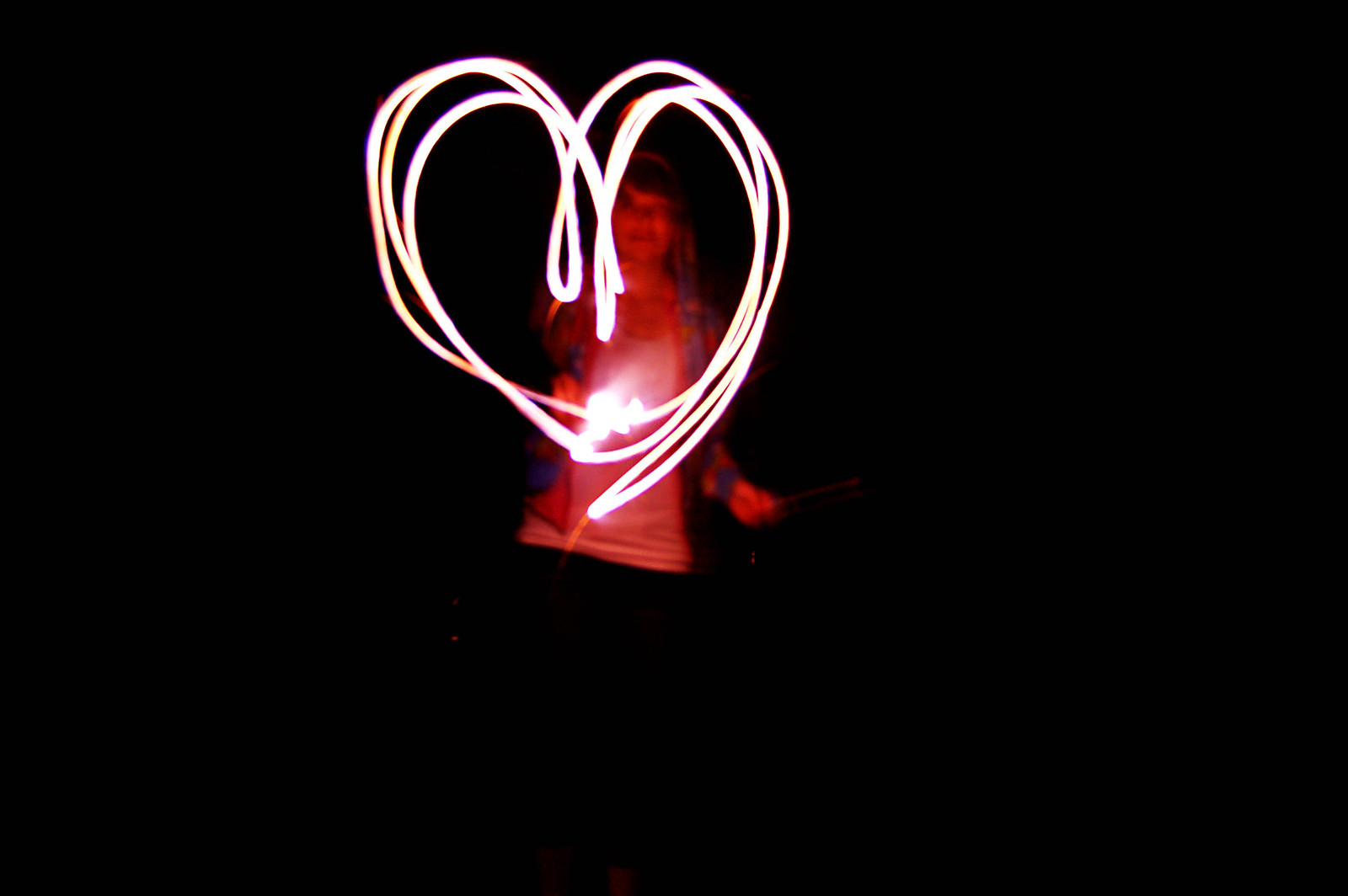
Apeture: f/4.8 - Shutter Speed: 6 seconds
Have fun with your fireworks this 4 of July holiday, but most importantly be safe. There are a lot of wildfires burning right now and it breaks my heart to hear of peoples homes burning up. Please exercise caution when using fireworks and keep others in mind.
Thanks for joining me today.
Tomorrow today will be the past, so start saving your story today.
Saturday, June 30, 2012
Save Your Story: Summer Fun
Wow summer is sure flying by. We work in our gardens a lot. Last weekend we were in Colorado visiting my Husband's sister. In getting ready for the trip and coming back I have been really busy with laundry and packing and what not. I am sorry about missing a couple of posts, and I hope to make up for it. My sister-in-law had 2 little boys in December and they are stinkin cute. We went to the Zoo, tried a new restaurant, and just had fun. This summer isn't even half over and there is so much more to do! For instance, I am really looking forward to canning season at the end of the summer. I love picking tomatoes and peppers out of my garden and making a batch of salsa out of it. We are really looking forward to being able to play more this summer. All this summer fun has made me reminisce about the past summer fun we have had. Today I want to encourage you all to do the same and tell a story about Summer Fun, either this year or in previous years. Put it in a blog post, on a scrapbook page, or in your journal. It doesn't matter how you document it, just document a story. I am including a scrapbook page I created while reminiscing about past summer fun. As always, I would love to see how you use my prompt to help you with your memory keeping.

(image linked for full credits)
Thanks for joining me today.
Tomorrow today will be the past, so start saving your story today.
Wednesday, June 13, 2012
Save Your Story: Fathers Figure
Love and fear.
Everything the father of a family says
must inspire one or the other. ~Joseph Joubert
With Fathers Day right around the corner I thought a father oriented Prompt. I titled this prompt Father Figures to leave it open ended. Do something to celebrate a father figure in your life. Reminisce about a Father Figure with words, or photos.
I had fun looking through and find photos of my Dad. My Dad was always the type to get down on the floor and play with us. If I want to try a new game he will always try it with me. If I have a big project that I want to do, without a doubt, he will help me out. He is always help me. With anything I ask. If I forgot an assignment at home he would bring it to school for me if he was still home when I called. I appreciate everything he has done for me. Here is to you Dad!

Thanks for joining me today. Tomorrow today will be the past, so start saving your story today.
Wednesday, June 6, 2012
Using a QuickPage (video tutorial)
So you bought Photoshop or PSE to do some digital or hybrid scrapbooking, but the first time you opened the program you got just a little overwhelmed. Maybe more than a little. Alright, it scared your pants off. Don't worry, its common. There is a lot to learn. Your new software is very powerful and you don't even know where to begin. Well, I have the perfect solution: QuickPages!
A QuickPage is a page premade with digital supplies that has "holes" for you to put your photos in. QuickPages can be purchased and are often found as freebies on designers blogs. QuickPages are really easy to use and I hope you find my video tutorial helpful in your QuickPage adventures. As always, I would love to see how you use my tutorial to help you with your scrapbooking.
Thanks for joining me today. Tomorrow today will be the past, so start saving your story today.
A QuickPage is a page premade with digital supplies that has "holes" for you to put your photos in. QuickPages can be purchased and are often found as freebies on designers blogs. QuickPages are really easy to use and I hope you find my video tutorial helpful in your QuickPage adventures. As always, I would love to see how you use my tutorial to help you with your scrapbooking.
Thanks for joining me today. Tomorrow today will be the past, so start saving your story today.
Friday, June 1, 2012
Inspired
I graduated from College! I walked on Friday May 4th had a party the next day and have been taking it easy since. We have planted one of our gardens and three-quarters of the other. We went to Idaho with our friends over this last long weekend. I scrapped a page on the drive up, one on the lazy sunday afternoon, and one on the drive home. I felt more inspired to scrap this last weekend than I have in a long time. (Idaho farm country is very beautiful by the way.) I got my groove back!
I plan to do regular posting now. Starting with a video tutorial this coming Wednesday on how to use a digital quick page, and what a quick page is. (If I tell you I am going to post, that means I am committed right?) For now I hope you enjoy the recent pages I have created.
Thanks for joining me today.
Tomorrow today will be the past, so start saving your story today.
images are linked for credits


Subscribe to:
Posts (Atom)