Wednesday, July 11, 2012

Everyday Photography

So I admit, I fell off the Project 365 band wagon. I have missed quite a few days. I can always start again at the beginning of the month, or now for that matter. In the months that I was actively participating I found the value of having a camera with me at all times and being willing to use. I have photos that I wouldn't have had otherwise. I love admiring the beauty of the world and taking the opportunity to capture it. So with that in mind I encourage all of you to seize the day! Photograph something today that you find amazing. Or photograph something, or someone you love. Watch the world with your eyes open 100% of the time and be ready to capture those little moments in your life.

Thanks for joining me today. Tomorrow today will be the past, so start saving your story today.

Taken on my college campus this last spring.

Taken on a Sunday Afternoon walk

Taken a couple winters ago. The dogs water dish was left outside, poor girl couldn't get a drink.

Another Sunday afternoon shot of my niece.

Same Sunday. I love this one. My nephew, my hubby, and sweet dog.

Same sunday, again. I take a lot of flower shots.

This one was a semi-stormy sunrise in early spring.

Wednesday, July 4, 2012

Photographing Fireworks

Happy 4th of July!

It's Independence Day here in the states and that means grilling, festivals, parades, and most importantly Fireworks! For the past 3 years I have tried to capture the elusive perfect firework photo. I mess with settings, and tinker for half the show before I decide what my settings should be. This year I am being proactive and looking at past photos to find a starting place for my settings. 

The following eight firework photos have good and bad qualities. Some more than others. Each photo also has something from which we can learn. There are three things I think are the most important to keep in mind when capturing fireworks. 

Number 1: Use something to steady your camera. The most common problem with firework photos is camera shake. If at all possible use a monopod or tripod. They will significantly decrease your camera shake and allow you to have your shutter open for longer without causing blur.

Number 2: Have a big memory card. Take a hundred firework photos and you are bound to have a few good ones.

Number 3: Get your settings where you want, and just keep clicking. Timing is everything. If possible turn off the review function on your camera so the photo doesn't come up on the screen after you take it. You might miss the perfect photo while looking at the one you just took. So keep looking at the fireworks that are live, not the ones you froze in your camera.

I have provided some of my firework photos below hoping that they might help you get your settings finalized quicker than I have in the past.

Apeture: f/4.5  -  Shutter Speed: 1/5 second

Apeture: f/4.5  -  Shutter Speed: 2/5 second

Apeture: f/5.6  -  Shutter Speed: 1/6 second

Apeture: f/5.6  -  Shutter Speed: 1/6 second

Apeture: f/5.6  -  Shutter Speed: 1/6 second

Apeture: f/5.6  -  Shutter Speed: 1/6 second

Apeture: f/5.6  -  Shutter Speed: 1/6 second

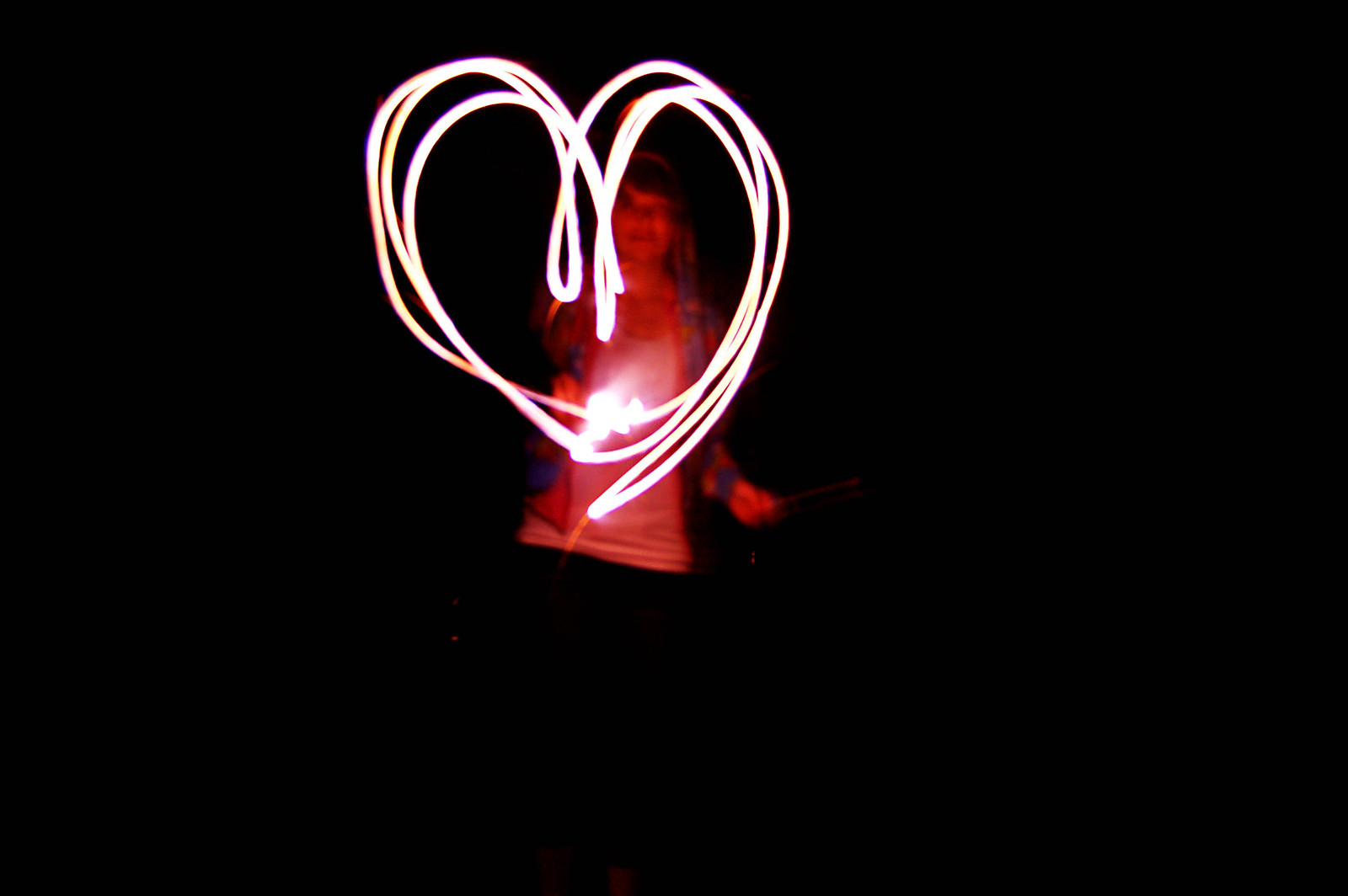
Now this was a fun photo to shoot! Break out those sparklers! A tripod (or table) is a must for this one. Slow the shutter way down and turn on your timer. Turning on your timer decreases shake from pushing the shutter release button right as the shutter opens. Your kids will have a blast writing there name and drawing shapes. See if you can draw a whole scene before your sparkler burns out.
Apeture: f/4.8  -  Shutter Speed: 6 seconds

Have fun with your fireworks this 4 of July holiday, but most importantly be safe. There are a lot of wildfires burning right now and it breaks my heart to hear of peoples homes burning up. Please exercise caution when using fireworks and keep others in mind.

Thanks for joining me today. Tomorrow today will be the past, so start saving your story today.

Saturday, June 30, 2012

Save Your Story: Summer Fun

Wow summer is sure flying by. We work in our gardens a lot. Last weekend we were in Colorado visiting my Husband's sister. In getting ready for the trip and coming back I have been really busy with laundry and packing and what not. I am sorry about missing a couple of posts, and I hope to make up for it. My sister-in-law had 2 little boys in December and they are stinkin cute. We went to the Zoo, tried a new restaurant, and just had fun. This summer isn't even half over and there is so much more to do! For instance, I am really looking forward to canning season at the end of the summer. I love picking tomatoes and peppers out of my garden and making a batch of salsa out of it. We are really looking forward to being able to play more this summer. All this summer fun has made me reminisce about the past summer fun we have had. Today I want to encourage you all to do the same and tell a story about Summer Fun, either this year or in previous years. Put it in a blog post, on a scrapbook page, or in your journal. It doesn't matter how you document it, just document a story. I am including a scrapbook page I created while reminiscing about past summer fun. As always, I would love to see how you use my prompt to help you with your memory keeping.

(image linked for full credits)

Thanks for joining me today. Tomorrow today will be the past, so start saving your story today.

Wednesday, June 13, 2012

Save Your Story: Fathers Figure

Love and fear.
Everything the father of a family says
must inspire one or the other. ~Joseph Joubert

With Fathers Day right around the corner I thought a father oriented Prompt. I titled this prompt Father Figures to leave it open ended. Do something to celebrate a father figure in your life. Reminisce about a Father Figure with words, or photos.

I had fun looking through and find photos of my Dad. My Dad was always the type to get down on the floor and play with us. If I want to try a new game he will always try it with me. If I have a big project that I want to do, without a doubt, he will help me out. He is always help me. With anything I ask. If I forgot an assignment at home he would bring it to school for me if he was still home when I called. I appreciate everything he has done for me. Here is to you Dad!


Thanks for joining me today. Tomorrow today will be the past, so start saving your story today.

Wednesday, June 6, 2012

Using a QuickPage (video tutorial)

So you bought Photoshop or PSE to do some digital or hybrid scrapbooking, but the first time you opened the program you got just a little overwhelmed. Maybe more than a little. Alright, it scared your pants off. Don't worry, its common. There is a lot to learn. Your new software is very powerful and you don't even know where to begin. Well, I have the perfect solution: QuickPages!

A QuickPage is a page premade with digital supplies that has "holes" for you to put your photos in. QuickPages can be purchased and are often found as freebies on designers blogs. QuickPages are really easy to use and I hope you find my video tutorial helpful in your QuickPage adventures. As always, I would love to see how you use my tutorial to help you with your scrapbooking.


Thanks for joining me today. Tomorrow today will be the past, so start saving your story today.

Friday, June 1, 2012

Inspired

I graduated from College! I walked on Friday May 4th had a party the next day and have been taking it easy since. We have planted one of our gardens and three-quarters of the other. We went to Idaho with our friends over this last long weekend. I scrapped a page on the drive up, one on the lazy sunday afternoon, and one on the drive home. I felt more inspired to scrap this last weekend than I have in a long time. (Idaho farm country is very beautiful by the way.) I got my groove back!

I plan to do regular posting now. Starting with a video tutorial this coming Wednesday on how to use a digital quick page, and what a quick page is. (If I tell you I am going to post, that means I am committed right?) For now I hope you enjoy the recent pages I have created.

Thanks for joining me today. Tomorrow today will be the past, so start saving your story today.

images are linked for credits


Wednesday, April 25, 2012

An Update

School has really been kicking my butt this semester. Its my last one ever! Woot! I graduate next Friday (May 4th) and I can hardly believe my college experience is coming to an end. I am excited, but really can't believe it. After graduation I hope to have more time to post here. My goal is once a week, if not more. If you have a question of topic you would like covered here feel free to leave it in the comments. I am always open to suggestions. Today I have a few things that I would like to update you on. First, . . .

Week in the Life: I did finish my 2011 pages. I digi-scrapped them of course, but I have yet to print them. You can find all of my 2011 pages in their flickr set. I was really happy with how they turned out. You might know that the week (April 23-29) is the week that Ali Edwards has set aside for the 2012 Week in the Life project. She sure has a nack to pick busy weeks in my life. And by busy I mean full of commitments (2011) or life altering (2012). I have been taking photos and using my Oh Life journal to document this week. I will post the words and photos when I can, but it might not be for a few weeks.

Two Little Words: Focus Forward. Life really has been changing. I have a different outlook on life. Knowing that I won't have school in the fall is very reassuring. I LOVE gardening, but I haven't had time to preserve my produce because I have been in school when it all starts coming on. This year is going to be different! This year I will be able to come home from work and can a couple of loads of Tomatoes, or beans. Maybe this year I will plant pickling cucumbers and make my hubby some pickles. I know he would be thrilled.

Project 365: I have been tracking this project entirely with my phone. I am completely up to date on it too! I am so proud of that. Sometimes I miss taking a picture of a certain day with my phone, but have shot something with my camera. So I put the photo on my computer and take a phone picture of my screen! I do it this way for one reasons and that is that I am only using my phone to track this project. I choose the 365 Photo app for android, but only because the Photo 365 app isn't available for android yet. (such a minor difference in name, but huge in capability) At some point I will put all of these photos on my computer and do something with them.

I am sorry I haven't been around here much lately. I will be here more, and soon. I just need to get past finals!

Thanks for joining me today. Tomorrow today will be the past, so start saving your story today.

Tuesday, January 17, 2012

More Scrap Time

I had a chance to get Day 2 of last year's Week in The Life done. What do you think?


Thanks for joining me today. Tomorrow today will be the past, so start saving your story today.

Sunday, January 15, 2012

Scrap Time

Back in July, Ali Edwards sponsored her Week In The Life project. I took photos and wrote in my {oh life} journal every day, but I didn't actually do the pages. There is a good reason for that. It was probably the busiest week of the year for me. My sister-in-law came in from out of town, it was my Birthday, we were throwing a shower for my other very pregnant sister-in-law, and one of Jonathan's best friends from high school was getting married. It was insanely crazy. 

I recently got Studio Wendy's Scrap It Pocket Pages actions with my Digi Game Membership. As soon as I downloaded them I knew exactly what I was going to use them for. Last night was the first time I was able to sit down and use them. I am so happy with the result. Hopefully I get more of that week scrapped soon.

(Images are linked to view full credits)


Thanks for joining me today. Tomorrow today will be the past, so start saving your story today.

Tuesday, January 10, 2012

Bad Blogger and "Two Little Words"

It has been over a month since I have posted. I have the philosophy that we have time for what we make time for, and over the holidays I guess I just didn't find a need to post. I was finishing up my second to last semester of my Bachelors Degree, doing Christmas prep, final semester of school prep, and throwing a bridal shower. I had quite a lot going on. I also knew that as soon as school started there was going to be a good chance I wouldn't be seeing a whole lot of my husband. We spent a lot of time hanging out just the two of us. So I am sorry there hasn't been any new content up here, but I am going to try to be better. This place helps me keep my sanity during school.

I have decided to take part in Ali Edwards' form of new years resolutions, One Little Word. I however have been unable to choose just one word. I have had two words floating around in my head for awhile and I just couldn't narrow it down. So I decided to use both words together, as if they were one. Without further ado my Two Little Words for 2012 are going to be: Focus Forward.

There is a lot changing in my life this year. Its going to be difficult to deal with. In order to cope with all of this change I will be focusing on this forward movement I will be making.

The major change for me this year will be the loss of the title "student." For the past 19 years I have been a student, but come May 4th I will loose that title. I don't think it will hit me till my husband goes back to school in the fall and I don't, but together he and I will Focus on the Forward.

Thanks for joining me today. Tomorrow today will be the past, so start saving your story today.