Don't miss my guest post on the WeR Memory Keepers Blog today. I love how my layout turned out! You can get to my post by clicking the link below.

Thursday, November 21, 2013

Thursday, November 14, 2013
Project Life
As I said last week I have started Project Life. I started back in July, the 14th to be exact. I have mostly been using the Honey Edition Core Kit, but I have used a few other things too. I included product links if I could find one, but some stuff is no longer available so there was no link to be found. If there is something that you are really wondering about just let me know I will try and find it. So with out further introduction, my project life:

July 14-20: Honey Edition Core Kit, Sewing Pattern paper, & Purple Polka Dot Washi Tape

July 21-27: Honey Edition Core Kit, Yuletide Layered Chipboard Stickers, Generic Rhinestones, Studio Calico Roller Date Stamp #1, & some journal cards from a set I got on clearance at Michael's.

July 28 - August 3: Honey Edition Core Kit, Black Fabric Thickers, Offray 7/8 inch Yellow with White Polka Dot Ribbon, Grey Chevron Washi Tape, Happy Birthday Epoxy Brads, Dear Lizzy Roller Date Stamp #1, & Stampin' Up Straight Up Alphabet & Numbers stamps.

This Week I got a little short on space since my husbands scout camp was in the mix so I made some washi tape hinges to to hide some pictures and journaling.

August 4-10: Honey Edition Core Kit, American Crafts Bakers Twine, Studio G "hello" stamp, Dear Lizzy Roller Date Stamp #1, & a journal card from a set I got on clearance at Michael's.

August 11-17: Honey Edition Core Kit, Prima Flowers, generic yellow brad, A Perfect Summer Cardstock Stickers, & A Perfect Summer papers.

August 18-24: Honey Edition Core Kit, Stampin' Up Straight Up Alphabet & Numbers stamps, Teal Chevron Washi Tape, Gray Chevron Washi Tape, & American Crafts Bakers Twine.

August 18-24: Honey Edition Core Kit, Rain Edition of Digital Project Life, Offray Self Adhesive Ribbon, Yellow Stripe Washi Tape, We R Memory Keepers Albums Made Easy Chalkboard Collection, Generic Rhinestones, The Daily Digi 2013 Scrapbook Day Freebie, & a journal card from a set I got on clearance at Michael's.

August 18-24: Honey Edition Core Kit, A Perfect Summer Cardstock Stickers, A Perfect Summer papers, & Dear Lizzy Roller Date Stamp #1.
I really like how this album is going. I have 2 more weeks done and then I am currently 7 weeks behind. But mark my words I will be caught up before Thanksgiving! Keep me to that, ok?
Thanks for joining me today.
Tomorrow today will be the past, so start saving your story today.
Tuesday, November 5, 2013
Life Update
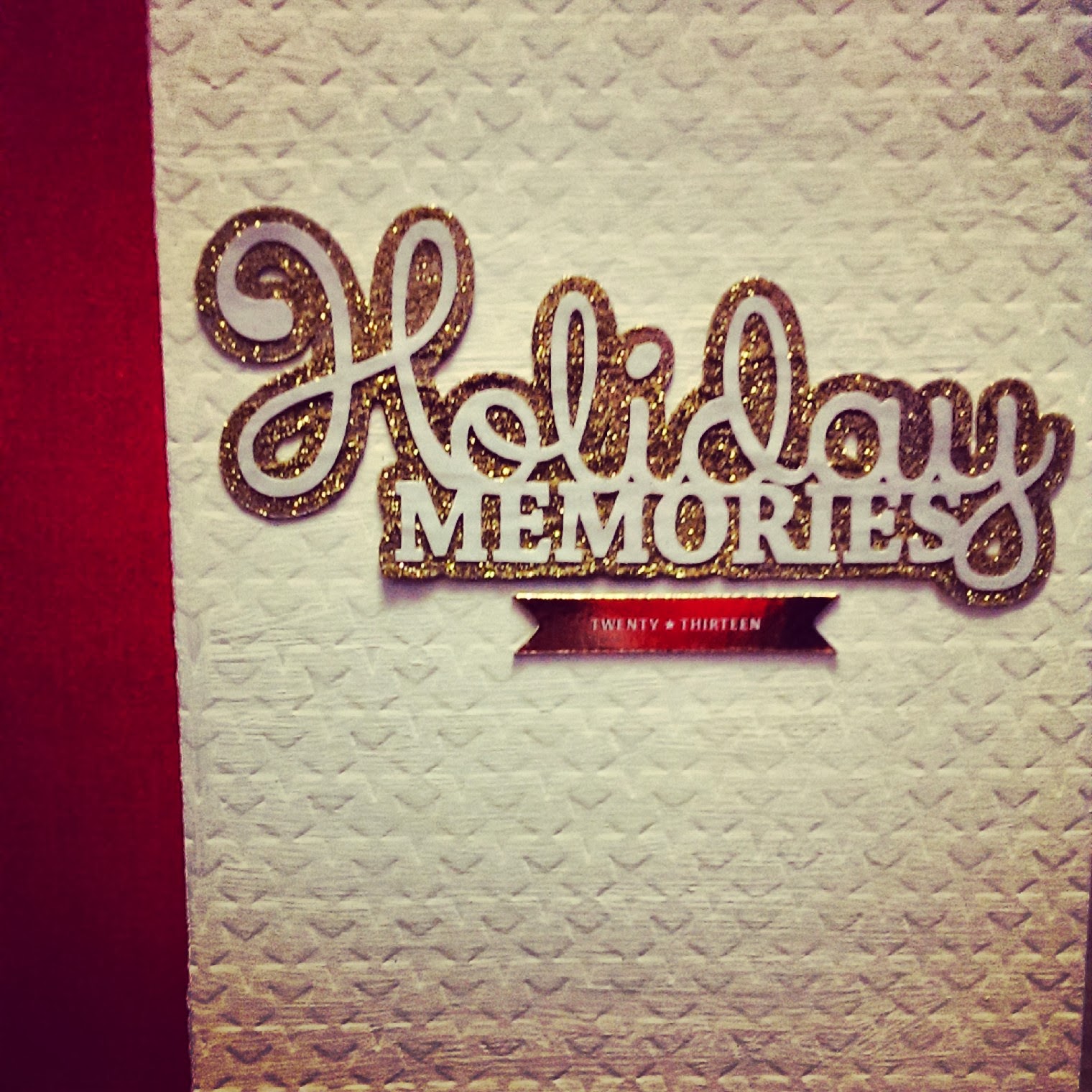
Life has been busy. My Husband hasn't been working so we have been enjoying spending time together. We are trying to catch up on Doctor Who before the 50th Anniversary special on the 23rd. I have been crafting quite a bit and I plan to post about it soon. I started a weekly pocket page scrapbook back in July and I just started preparing my Holiday Memories album. I will be back soon with more pics, but for now please enjoy this peek at my Holiday album.
Wednesday, August 7, 2013
Holiday Memories FINALLY FINISHED
So I finally finished my Holiday Memories Album. I have had the photos together for a long time and the guilt was starting to get to me so I sat down and wrote in all the journaling. I feel so good now that it is finally done. I am so proud of how it turned out. Sure there are somethings that I would/are going to do different next time. I hope you enjoy seeing it all together in this little video. I have started new project and I will be back with details soon and I hope to see you then. Thanks for joining me today. Tomorrow today will be the past, so start saving your story today.
If you want to see the individual photos for the pages you can find them in their own flickr set here.
Tuesday, December 11, 2012
Holiday Memories Cover
I knew I would need a more substantial cover for my album so I got 2 pieces of chipboard and painted the red. I added a boarder sticker from a K&Company to the right side of the front cover and the hand and ornament sticker came from the same sticker sheet. The Holidays chipboard sticker is from WeR Memory Keepers. I love how the cover turned out.

For the inside of the covers I added a polka dot paper and some stickers from the same sticker sheet above.


And on the back another sticker! I love it!

Cardstock stickers are amazing by the way. I had no idea!
I would love to see how you are documenting your Christmas Memories. Please leave a comment with a link to your scrapbook page, blog post, or photo album.
Thanks for joining me today.
Tomorrow today will be the past, so start saving your story today.
Friday, December 7, 2012
Holiday Memories 1 & 2
I finished my first few pages are done and I love how they turned out.

First is my title page. I added a glitter snowflake sticker that I got at Michaels. I believe it was their recollections brand. I thought it really added!

I started my Holiday Memories with Thanksgiving. We were with my husband's family this year. I made a 5x7 photo collage for the left side. For the right side I cut a 8.5x11 divided sheet protector down to 4 pockets instead of 9. I put in our place cards and a pics of some food coma nappers.

Next page is more thanksgiving. On the left is the back side of divided page protector from the previous page. Another place card and a few more pics form the day. On the right is my journaling for the day.

The left side of this page is one of my foundation pages and on the left is a pic of my Dad's Christmas Village that I help him put up.

On the left here I have my journaling about my family Christmas Ornament exchange. On the right our group shot of all the girls at the ornament exchange and a pic of my precious new niece. She was only 5 days old here. And those pics are on top of another foundation page.

On left another pic of my cute little niece and on the right a pic I took of my sister's cute family.
I had so much fun putting this together. It has been a long time since I have worked with paper and glue when I scrapbooked. I can't wait to see how the rest of this book turns out.
So, are you doing a December or Holiday Album. It so I would really like to see it. Feel free to leave a link in the comments.
Thanks for joining me today.
Tomorrow today will be the past, so start saving your story today.
Wednesday, November 28, 2012
Did I mention . . .
Did I Mention that I am doing a December Daily Album!?

Well not exactly December Daily. I tried December Daily a couple of years ago and failed. Miserably! I made it half way to Christmas and got sick of doing a scrapbook page every day and finding a story to tell. I didn't do any foundation pages and that definitely contributed to my downfall.
This go round I am taking a very different approach. A couple of weeks ago I saw Nettio Designs' Holiday Favs album from last year and her templates for this year. I saw those templates and knew exactly the approach I was going to take. I bought them that day and download them as soon as I got the links. I made all of the foundation pages and had them printed within 5 days. I also decided to go with an approach that did not require me to have to tell a story every day. That was very overwhelming on the weekdays when we came home from work and just watched TV. Right now I have 13 pages devoted to journaling/story telling and I think I might have a hard time finding stories to fill all of them.
I will be back in a few days with the first few pages of my album! Until then enjoy looking at my foundation pages. You can find them in my flickr stream here.
Thanks for joining me today. Tomorrow today will be the past, so start saving your story today.

Well not exactly December Daily. I tried December Daily a couple of years ago and failed. Miserably! I made it half way to Christmas and got sick of doing a scrapbook page every day and finding a story to tell. I didn't do any foundation pages and that definitely contributed to my downfall.
This go round I am taking a very different approach. A couple of weeks ago I saw Nettio Designs' Holiday Favs album from last year and her templates for this year. I saw those templates and knew exactly the approach I was going to take. I bought them that day and download them as soon as I got the links. I made all of the foundation pages and had them printed within 5 days. I also decided to go with an approach that did not require me to have to tell a story every day. That was very overwhelming on the weekdays when we came home from work and just watched TV. Right now I have 13 pages devoted to journaling/story telling and I think I might have a hard time finding stories to fill all of them.
I will be back in a few days with the first few pages of my album! Until then enjoy looking at my foundation pages. You can find them in my flickr stream here.
Thanks for joining me today. Tomorrow today will be the past, so start saving your story today.
Saturday, November 17, 2012
Been Busy
Its been quite awhile since I have posted. I have been busy with a project. My cousin is getting married in about a month and today we are having a bridal shower today for his fiance. I have spent a good chunk of time in the last month making a cookbook for the bride. I have had fun and I didn't get many pictures before my camera battery died. I am really happy with how it turned out.

I ended up with 77 recipes from Grandma, Aunts, Cousins, and Cousin's Spouses. I scrapped the recipes onto 4x6 cards so that the recipes can be used in book form or taken out and used as individual cards. I also thought it would make it easier to add recipes later. I made the first card and then saved it as a template so that I didn't have to start from scratch every time. I did the same things with the divider pages.

I only used one kit for the entire book (Narrative by One Little Bird Designs). The font on the dividers is Sketch Rockwell. The recipe names are in a font called Ballpark. The actually recipes are in Bohemian Typewriter.
Thanks for joining me today.
Tomorrow today will be the past, so start saving your story today.
Wednesday, October 10, 2012
Save Your Story: What are you watching?
I admit it, I am addicted to TV. I love watching a good show. My list of favorites have gotten a lot longer this fall. I love watching then new fall shows and watching my old fav's come back. So I thought I would write down my current watch list.
Returning favs
Thanks for joining me today. Tomorrow today will be the past, so start saving your story today.
Returning favs
- Once Upon a Time
- How I Met Your Mother
- Switched at Birth
- Bones
- The New Girl
- Parenthood
- Law and Order: SVU
- The Big Bang Theory
- Community
- The Office
- Glee
- Person of Interest
- Parks and Recreation
- Grim
- Supernatural
- Hart of Dixie
- Supernatural
- Suburgatory
- Sons of Guns
- Franklin and Bash (TNT summer series)
- Downton Abbey (if you know how to get series 3 before the US airing in January let me know)
- Doctor Who (We are working through past seasons now. We are in the middle of season 3)
New favs
- The Mob Doctor
- Guys With Kids
- Go On
- Elementary
WOW! That is a really long list. Kind of pathetic, but I am okay with it. Sadly I feel like I am missing some on this list.
So now I want to know what you are watching right now. Do we have any shows in common? I wish I had this list from last year. It would be really interesting to see how my tastes have evolved over the years. I am going to try and remember to write this list next year too. As always I would love to see your list. I encourage you to link up in the comments.
Thanks for joining me today. Tomorrow today will be the past, so start saving your story today.
Friday, October 5, 2012
Curating My Photos
A few week ago I signed up for Kayla Lamoreaux's Finding Photo Flow Class. I have been curating my photo library for the last few weeks and have tagged about 55% of my photos so far. I can't believe how well I have been doing. I learned so much about Lightroom. I had no idea half the stuff I am able to do in Lightroom. I will share my organizing system once I am finished tagging and rating. I am so excited to share.
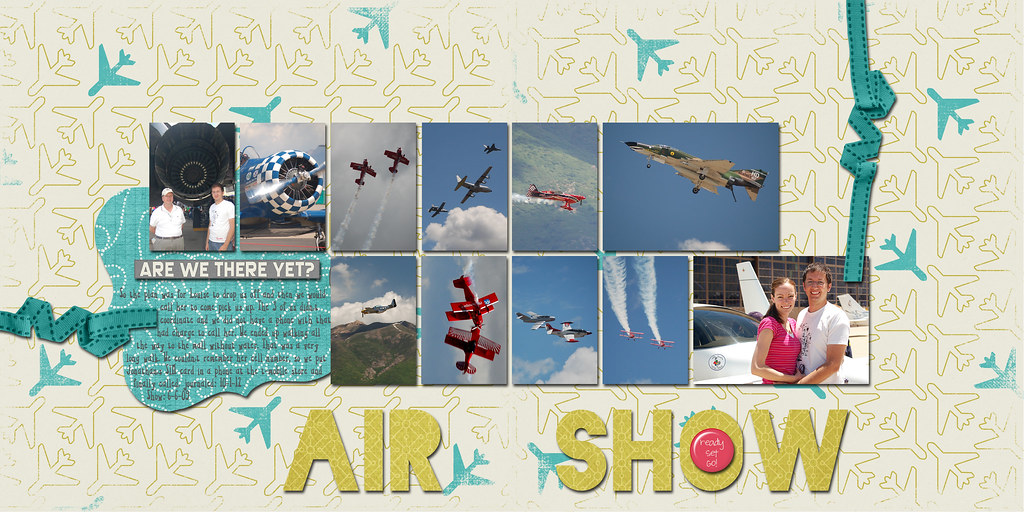
While tagging my photos I found some pictures from a few years ago when I went to the air show with my husband and father-in-law. I just had to scrap them! It has been a while since I have scrapped. I missed it. I am going to schedule time for scrapping every week.

Thanks for joining me today. Tomorrow today will be the past, so start saving your story today.
While tagging my photos I found some pictures from a few years ago when I went to the air show with my husband and father-in-law. I just had to scrap them! It has been a while since I have scrapped. I missed it. I am going to schedule time for scrapping every week.
Thanks for joining me today. Tomorrow today will be the past, so start saving your story today.
Wednesday, September 12, 2012
Why BackUp is Important
I was attempting to update my screencasting software to make a new tutorial for you and I download a virus on my good computer. Seriously! Didn't I have issues last time I attempted to make a video? At least I was able to get MalwareBytes running on my computer.
So in honor of my dumb downloading mistake, here is the best advice you will get this week: download MalwareBytes, at least the free version, NOW. Did you know some viruses are programmed not to let you download anti-virus software. I am quite confident that if I did not already have MalwareBytes installed, I would not have been able to use my Internet browser to download anti-malware software. Download some anti-malware software today, so you can be proactive about your future computer issues.
The second part of the advice. Before you start downloading from unknown sources BACKUP YOUR FILES. By pure coincidence, I actually backed up my entire computer the night before I accidentally downloaded this virus. I guess I had good timing on my back up.
Please learn from my mistake. As always thanks for joining me today and remember that tomorrow today will be the past, so start saving your story today.
Wednesday, September 5, 2012
Rule of Thirds
Last night I had the opportunity to teach my Husband's scout troop for their photography merit badge. It made me feel really old. The merit badge book needs some serious updating. Under of the film vs. digital pros and cons it had "familiarity of use" under the film side. We asked the boys if we handed them a film camera and a roll of film if they would know how to load it. They all just stared at us. It was like we were talking a different language. My Husband, his Assistant Scoutmaster, and I all agreed that we felt old. It was then that I realized that the technology may change, but the things that make a good photo haven't. I thought I would share a basic composition technique this week that the scouts found rather interesting: the rule of thirds.

It is simple really. Imagine a tic-tac-toe grid on your photo. The focus of your photo should land on one the crosses. Or at least close to it.

Try not to lead the viewers eye out of the frame with the rule of thirds,

But lead the eye into the frame instead.

If your subject is too big to sit on one of the crosses, try putting a prominent line on one of the "thirds" lines instead.

I hope you found this bit of information helpful and interesting today. Please post links to your "Rule of Thirds" photos in the comments. I would love to see them. And as always feel free to ask any questions you would like.
Thanks for joining me today.
Tomorrow today will be the past, so start saving your story today.
Wednesday, August 29, 2012
Tutorial: Photoshop Photo Collage
This post has been a long time coming. Over a month actually. I am really sorry it has been so long. I got frustrated with some audio/visual sync issues. I finally worked through it and finished the video.
My Aunt Rebecca asked me to do this tutorial. She really likes scrapbook pages that use photo collages, but had no idea how to create them. So I made her a collage for use in her latest scrapbook page. You can see how she used my finished product on her blog My Kitchen Table Studio. You could make these photo collages to use on a scrapbook page, for a half page insert, or even a whole page addition to you album
You can also view the tutorial here.
As promised here are all the dimensions I used for the collage I created in the video.
Thanks for joining me today. Tomorrow today will be the past, so start saving your story today.
My Aunt Rebecca asked me to do this tutorial. She really likes scrapbook pages that use photo collages, but had no idea how to create them. So I made her a collage for use in her latest scrapbook page. You can see how she used my finished product on her blog My Kitchen Table Studio. You could make these photo collages to use on a scrapbook page, for a half page insert, or even a whole page addition to you album
You can also view the tutorial here.
As promised here are all the dimensions I used for the collage I created in the video.
Left Side: 3 1/4 x 4 3/4
Middle Top: 4 x 3
Middle Bottom: 1 1/4 x 1 5/8
Right Top: 1 9/16 x 1 5/8
Right Bottom: 3 1/4 x 3
I would love to see the collages that you create. You are free to link up or ask questions in the comments.
Thanks for joining me today. Tomorrow today will be the past, so start saving your story today.
Tuesday, July 17, 2012
Sneek Peek!
So I was having some audio issues, and I didn't get my video tutorial posted to YouTube. Hopefully I can get my audio synced up on my video and get it posted soon. For now enjoy this sneek peek of what I am teaching in the video. Hopefully it is intriguing enough to get you to come back sometime in the next few days. Thanks for joining me today. Tomorrow today will be the past, so start saving your story today.

Wednesday, July 11, 2012
Everyday Photography
So I admit, I fell off the Project 365 band wagon. I have missed quite a few days. I can always start again at the beginning of the month, or now for that matter. In the months that I was actively participating I found the value of having a camera with me at all times and being willing to use. I have photos that I wouldn't have had otherwise. I love admiring the beauty of the world and taking the opportunity to capture it. So with that in mind I encourage all of you to seize the day! Photograph something today that you find amazing. Or photograph something, or someone you love. Watch the world with your eyes open 100% of the time and be ready to capture those little moments in your life.
Thanks for joining me today. Tomorrow today will be the past, so start saving your story today.

Taken on my college campus this last spring.

Taken on a Sunday Afternoon walk

Taken a couple winters ago. The dogs water dish was left outside, poor girl couldn't get a drink.

Another Sunday afternoon shot of my niece.

Same Sunday. I love this one. My nephew, my hubby, and sweet dog.

Same sunday, again. I take a lot of flower shots.

This one was a semi-stormy sunrise in early spring.
Wednesday, July 4, 2012
Photographing Fireworks
Happy 4th of July!
It's Independence Day here in the states and that means grilling, festivals, parades, and most importantly Fireworks! For the past 3 years I have tried to capture the elusive perfect firework photo. I mess with settings, and tinker for half the show before I decide what my settings should be. This year I am being proactive and looking at past photos to find a starting place for my settings.
The following eight firework photos have good and bad qualities. Some more than others. Each photo also has something from which we can learn. There are three things I think are the most important to keep in mind when capturing fireworks.
Number 1: Use something to steady your camera. The most common problem with firework photos is camera shake. If at all possible use a monopod or tripod. They will significantly decrease your camera shake and allow you to have your shutter open for longer without causing blur.
Number 2: Have a big memory card. Take a hundred firework photos and you are bound to have a few good ones.
Number 3: Get your settings where you want, and just keep clicking. Timing is everything. If possible turn off the review function on your camera so the photo doesn't come up on the screen after you take it. You might miss the perfect photo while looking at the one you just took. So keep looking at the fireworks that are live, not the ones you froze in your camera.
I have provided some of my firework photos below hoping that they might help you get your settings finalized quicker than I have in the past.

Apeture: f/4.5 - Shutter Speed: 1/5 second

Apeture: f/4.5 - Shutter Speed: 2/5 second

Apeture: f/5.6 - Shutter Speed: 1/6 second

Apeture: f/5.6 - Shutter Speed: 1/6 second

Apeture: f/5.6 - Shutter Speed: 1/6 second

Apeture: f/5.6 - Shutter Speed: 1/6 second

Apeture: f/5.6 - Shutter Speed: 1/6 second
Now this was a fun photo to shoot! Break out those sparklers! A tripod (or table) is a must for this one. Slow the shutter way down and turn on your timer. Turning on your timer decreases shake from pushing the shutter release button right as the shutter opens. Your kids will have a blast writing there name and drawing shapes. See if you can draw a whole scene before your sparkler burns out.
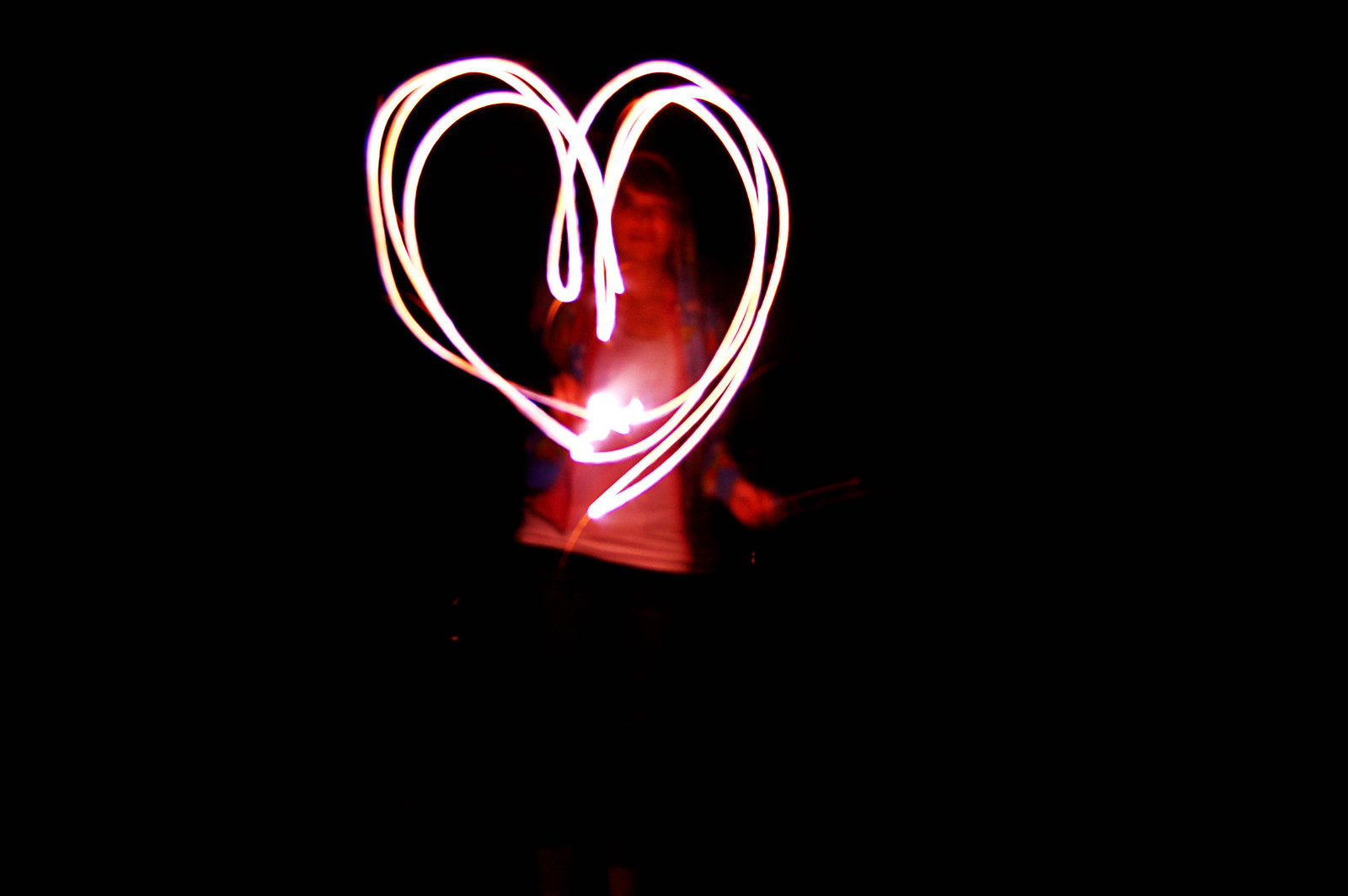
Apeture: f/4.8 - Shutter Speed: 6 seconds
Have fun with your fireworks this 4 of July holiday, but most importantly be safe. There are a lot of wildfires burning right now and it breaks my heart to hear of peoples homes burning up. Please exercise caution when using fireworks and keep others in mind.
Thanks for joining me today.
Tomorrow today will be the past, so start saving your story today.
Saturday, June 30, 2012
Save Your Story: Summer Fun
Wow summer is sure flying by. We work in our gardens a lot. Last weekend we were in Colorado visiting my Husband's sister. In getting ready for the trip and coming back I have been really busy with laundry and packing and what not. I am sorry about missing a couple of posts, and I hope to make up for it. My sister-in-law had 2 little boys in December and they are stinkin cute. We went to the Zoo, tried a new restaurant, and just had fun. This summer isn't even half over and there is so much more to do! For instance, I am really looking forward to canning season at the end of the summer. I love picking tomatoes and peppers out of my garden and making a batch of salsa out of it. We are really looking forward to being able to play more this summer. All this summer fun has made me reminisce about the past summer fun we have had. Today I want to encourage you all to do the same and tell a story about Summer Fun, either this year or in previous years. Put it in a blog post, on a scrapbook page, or in your journal. It doesn't matter how you document it, just document a story. I am including a scrapbook page I created while reminiscing about past summer fun. As always, I would love to see how you use my prompt to help you with your memory keeping.

(image linked for full credits)
Thanks for joining me today.
Tomorrow today will be the past, so start saving your story today.
Wednesday, June 13, 2012
Save Your Story: Fathers Figure
Love and fear.
Everything the father of a family says
must inspire one or the other. ~Joseph Joubert
With Fathers Day right around the corner I thought a father oriented Prompt. I titled this prompt Father Figures to leave it open ended. Do something to celebrate a father figure in your life. Reminisce about a Father Figure with words, or photos.
I had fun looking through and find photos of my Dad. My Dad was always the type to get down on the floor and play with us. If I want to try a new game he will always try it with me. If I have a big project that I want to do, without a doubt, he will help me out. He is always help me. With anything I ask. If I forgot an assignment at home he would bring it to school for me if he was still home when I called. I appreciate everything he has done for me. Here is to you Dad!

Thanks for joining me today. Tomorrow today will be the past, so start saving your story today.
Wednesday, June 6, 2012
Using a QuickPage (video tutorial)
So you bought Photoshop or PSE to do some digital or hybrid scrapbooking, but the first time you opened the program you got just a little overwhelmed. Maybe more than a little. Alright, it scared your pants off. Don't worry, its common. There is a lot to learn. Your new software is very powerful and you don't even know where to begin. Well, I have the perfect solution: QuickPages!
A QuickPage is a page premade with digital supplies that has "holes" for you to put your photos in. QuickPages can be purchased and are often found as freebies on designers blogs. QuickPages are really easy to use and I hope you find my video tutorial helpful in your QuickPage adventures. As always, I would love to see how you use my tutorial to help you with your scrapbooking.
Thanks for joining me today. Tomorrow today will be the past, so start saving your story today.
Friday, June 1, 2012
Inspired
I graduated from College! I walked on Friday May 4th had a party the next day and have been taking it easy since. We have planted one of our gardens and three-quarters of the other. We went to Idaho with our friends over this last long weekend. I scrapped a page on the drive up, one on the lazy sunday afternoon, and one on the drive home. I felt more inspired to scrap this last weekend than I have in a long time. (Idaho farm country is very beautiful by the way.) I got my groove back!
I plan to do regular posting now. Starting with a video tutorial this coming Wednesday on how to use a digital quick page, and what a quick page is. (If I tell you I am going to post, that means I am committed right?) For now I hope you enjoy the recent pages I have created.
Thanks for joining me today.
Tomorrow today will be the past, so start saving your story today.
images are linked for credits


Subscribe to:
Posts (Atom)